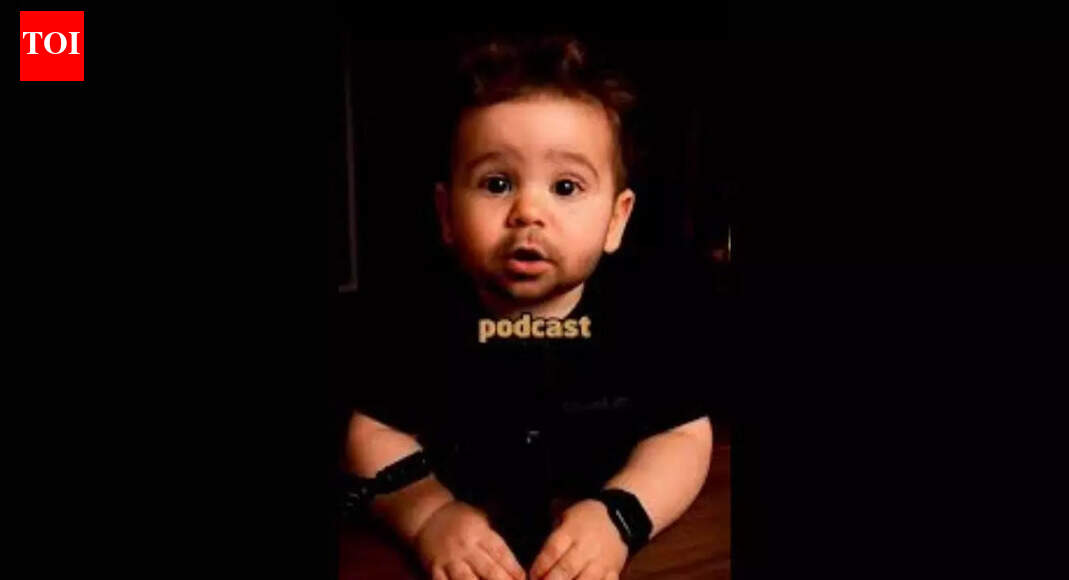
The AI-powered baby dancing videos have touched the screens of all social platforms in the year 2026, mesmerising people with their incredible performances on TikTok, Instagram, and YouTube videos. These videos contain super-real animation graphics with cute baby characters performing complex dance steps in perfect coordination with the latest hit songs. The latest musical sensations have transformed from being simple internet notifications to becoming high-definition videos, all owing to the use of AI motion transfer technology.
What are AI dancing baby videos
AI dancing babies demonstrate how AI motion transfer is used in short animation videos featuring static images of babies made alive using artificial intelligence. The distinctive feature of this animation is the choreography of real babies made alive through AI, copying the dance of real dancers. Such videos of babies in the year 2026 will be doing serious dance moves like K-pop dance, TikTok shuffle dances, and viral dance challenges. This trend is a continuation of the fascination with the tenderness of the babies and their energetic dance moves.
How to create AI dancing baby videos: Step-by-step guide
- Create or pick your baby character
Begin the process of developing a quality image of a baby through the use of the Google Gemini image generator. Make sure the character is in a neutral position and has effective lighting. This will help maximise the motion transfer quality. Development of the character can be done through the creation of a completely animated look in the Pixar/Disney style.
- Select the motion transfer tool
Upload your character to AI tools. These tools can transfer the motion from your actual dance performance into your baby character, and the effect would be a realistic dance animation.
- Upload a reference dance video
Choose a video of the current hottest dance routine that you like and would like to see your baby perform. This video is used as a template by the AI to imitate the dance steps, from swaying to moving the arms to the rhythm of the song. First, you select the model architecture and the number of iterations you would like the AI to perform to create the desired function.
- Process and refine the animation
After uploading the reference, let the AI render the animation. AI tools allow you to adjust motion strength so the baby’s limbs remain proportional and natural-looking, avoiding any distortions.
- Add final touches in video editing apps
Export your animation to apps. Here, you can add trending music, effects, text overlays, and synchronise dance moves to beat drops for maximum engagement.
Best AI prompt for dancing baby videos
Using a well-crafted AI prompt is crucial for maintaining a consistent and realistic baby character. For example:“A charming 3D animated baby boy character, identical to the reference image. He is dancing joyfully on a sunny park pathway. Gentle, lively dance moves with subtle hip sway, hand gestures, and slight hair bounce. Facial expression happy and playful. Full-body camera shot, with slight cinematic camera movement capturing the environment. Soft sunlight, green grass, colourful flowers, and butterflies in the background. High-quality 3D Pixar/Disney style animation, ultra smooth motion, realistic textures and lighting, 4K, 24fps. Character identity must remain exactly the same, with no changes to face, clothes, or body.”
Tips to make your AI dancing baby videos go viral
- Make sure your baby is dancing to his/her steps perfectly in sync with the musical bass/rhythm using video editing apps.
- Add AI Voiceovers
- Give the baby a funny voice or personality using AI narration.
- Use high contrast or unique backgrounds
- Put your character into dramatically distinctive environments, such as neon-lit stages or high-tech cities, to differentiate it.
- Keep the characters consistent
- Create an evergreen baby influencer with the same name, clothing, and personality so that followers may be built; otherwise, one may post videos only.
About the Author